
Appearance
Creating Automated Test Scripts with TAMI
TAMI can help you generate executable test automation scripts for your test cases, requiring minimal to no programming experience.
Automating a Test Case
In the Test Case Editor, scroll to the Test Script section.
You’ll see a space to write the test script using the UI-licious Test Framework.
👉 Click Generate Test to let TAMI help write the script.
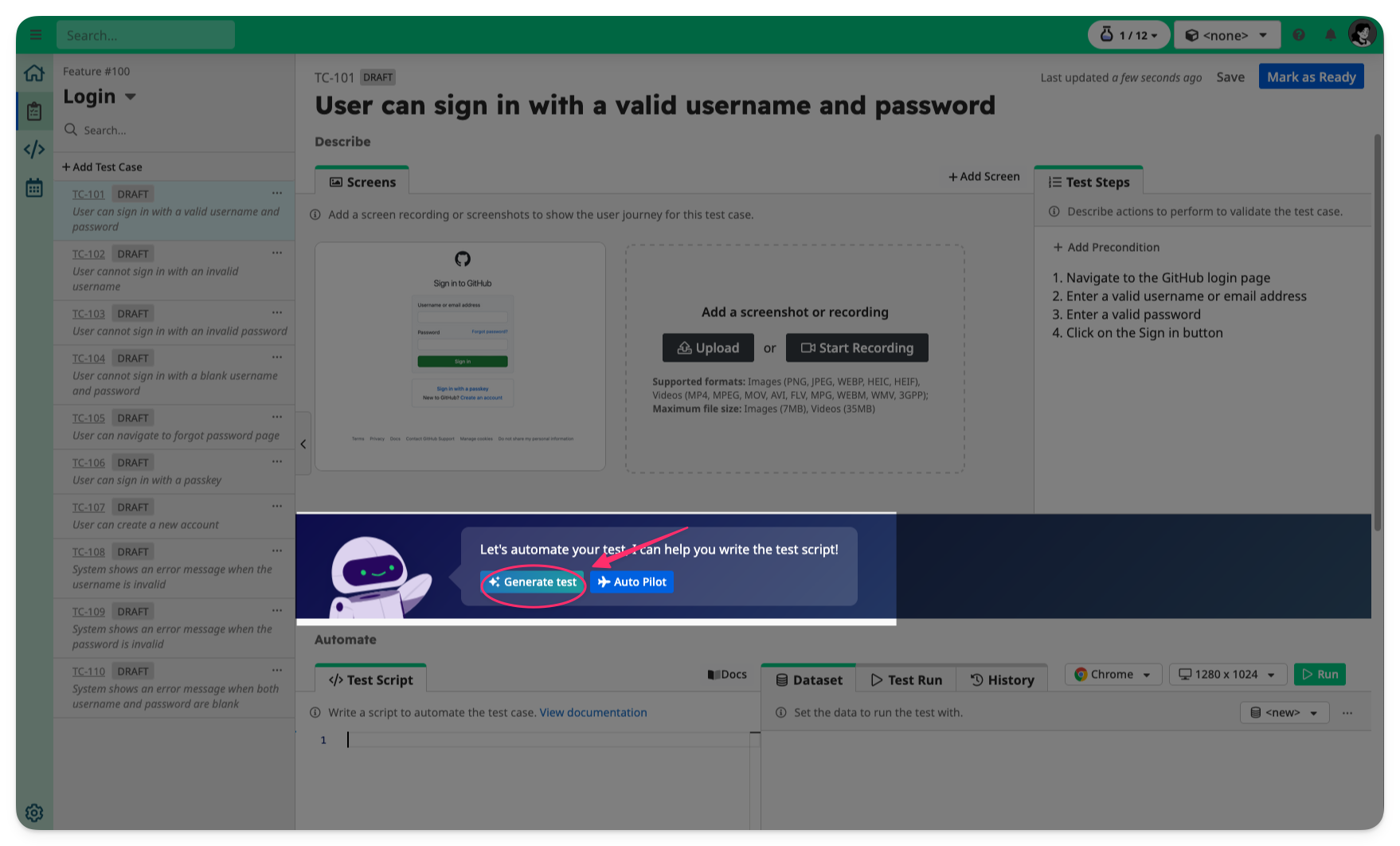
TAMI will analyse the following:
- The title and description of the test case
- Any screenshots or recordings in the Screens Gallery
- Optionally, an test steps you've defined
Based on this information, TAMI generates a runnable script that simulates how a real user would interact with your application.
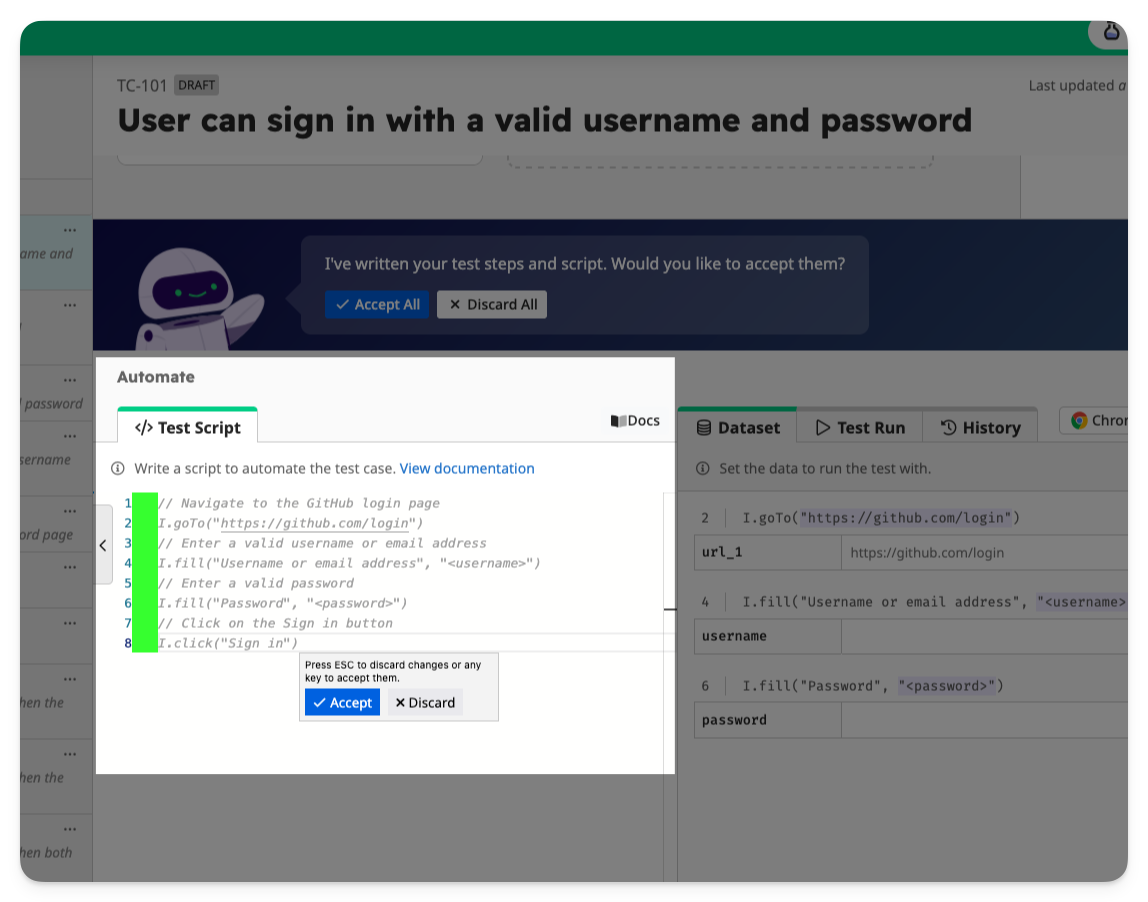
👉 You can choose to Accept or Discard the generated script.
TAMI will also automatically insert placeholders (e.g. <username>, <password>) for test data. These are auto-detected and added to the Dataset section next to the script editor.
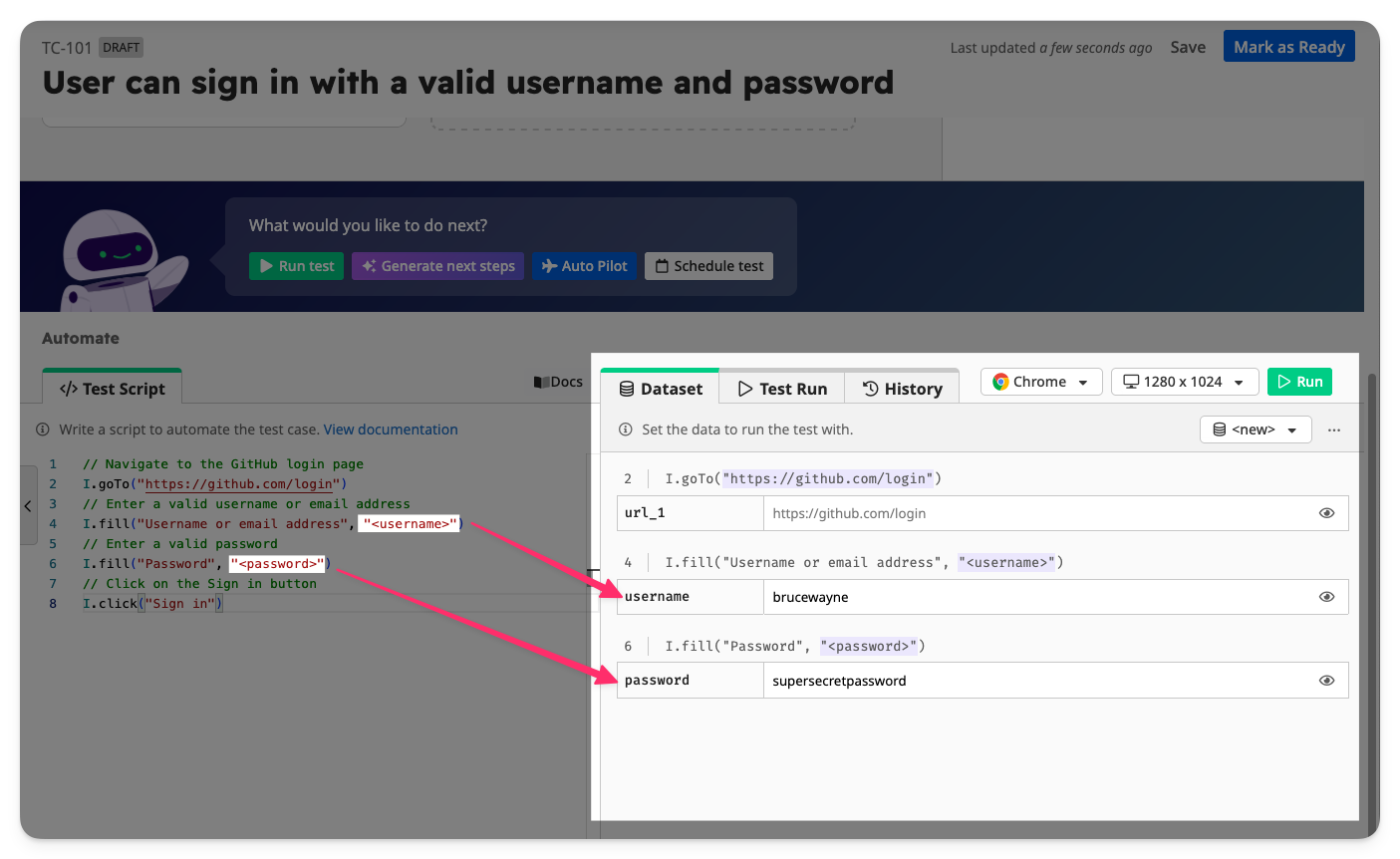
After accepting the script, you can:
- Run the test across different browsers and environments
- Use datasets to store test data as variables and secrets
- Schedule and monitor test runs automatically
TIP
For Better Results:
- Use clear and descriptive titles
- Upload clean, relevant screenshots or a recording of the flow
- Make sure key UI elements are clearly visible
- For complex flows, a single recording is better than multiple screenshots
- Add clear test steps to guide TAMI’s logic (optional, but recommended)