
Appearance
Preconditions
Preconditions in TAMI allow you to define dependencies between test cases. They ensure that specific test cases are executed before the main test case, to establish a required condition. This helps structure complex test scenarios and promotes reusability.
Why Use Preconditions?
Preconditions are useful when:
- A test case depends on a particular state (e.g., user is logged in).
- Common setup steps are reused across multiple test cases.
- You want to improve the clarity and maintainability of your test suite.
Instead of duplicating setup logic in across test cases, you can define it once in a seperate test case, and assign it as a precondition where needed.
Adding Preconditions
👉 Open a test case to edit. This should be the test case that requires a precondition.
👉 In the Test Steps panel, click the Add Precondition button.
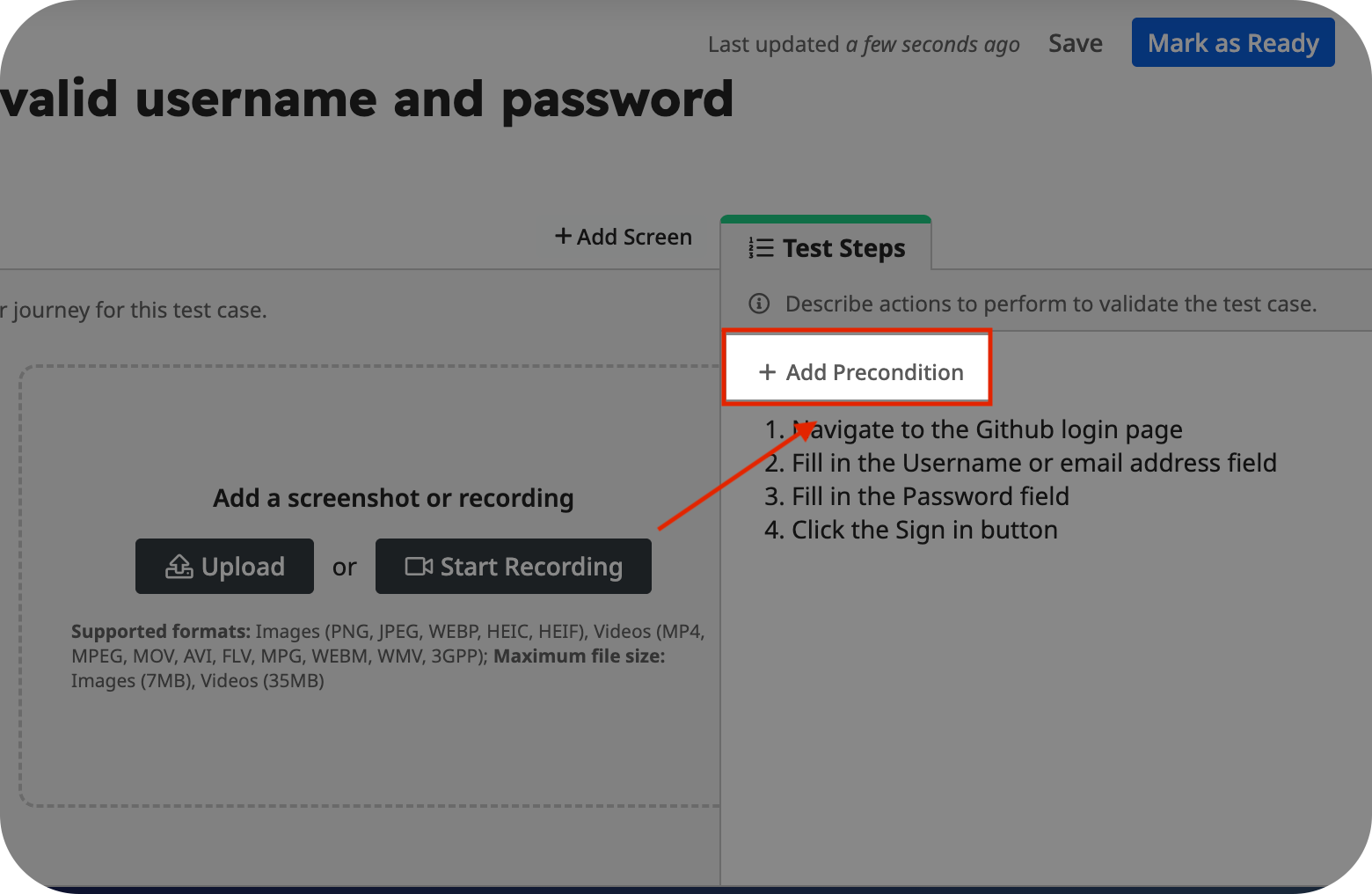
This opens a dialog that lets you configure the preconditions for the test case.
👉 Search for the test case by ID or name, then select it to add it as a precondition.
You can add multiple preconditions if needed. Use the arrow buttons to reorder them.
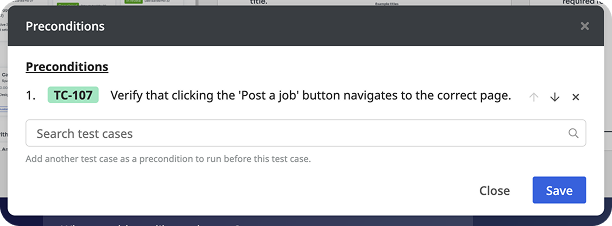
👉 Click Save to apply your changes.
After saving, the added preconditions will appear above the test steps.
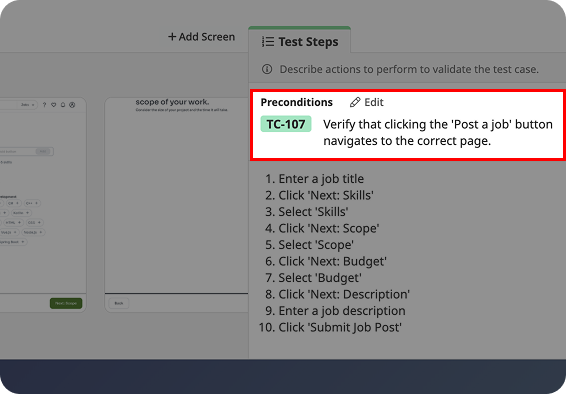
When preconditions fail
Preconditions are executed in order before the main test case. Since they are essential for setting up the required state, if a precondition fails, all subsequent preconditions and the main test case will be skipped. This ensure that test cases fail fast, and are not executed under invalid or incomplete conditions.