Appearance
Test Report
The Test Report in TAMI Studio provides a detailed breakdown of each test run, giving you visibility into how your test executed, where it may have failed, and what environment it ran in.
Key Information at a Glance
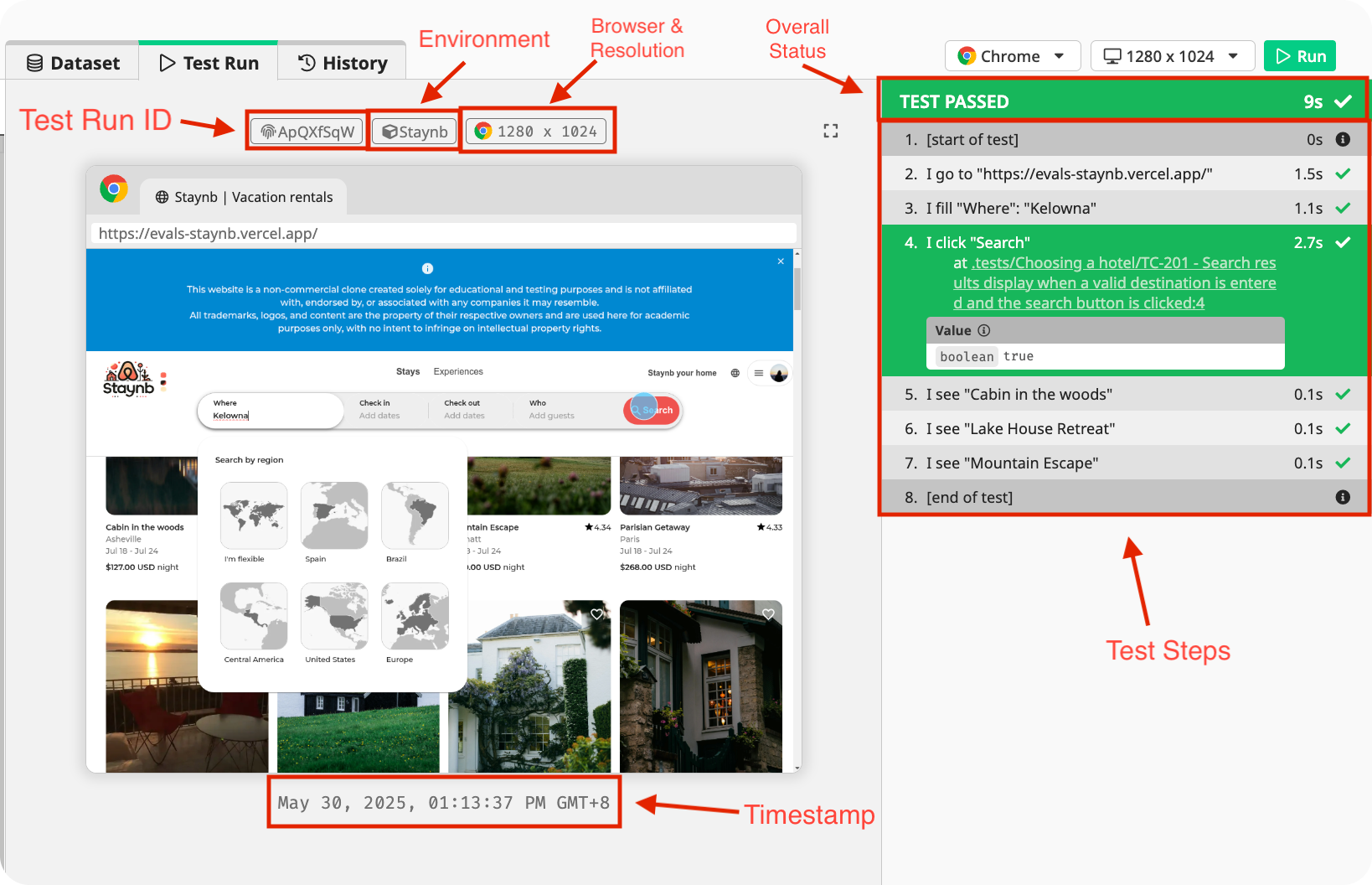
The Test Report includes the following information:
- 🆔 Test Run ID
- ✅ Overall status (Passed or Failed)
- 🌐 Browser used
- 🖥️ Screen resolution
- 🧪 Selected environment
- 🕒 Timestamp
- 🧾 List of steps executed
You can view details of a step by select it:
- 🖼️ Screenshots captured at that point in the test
- ✅ Status of the test step
- ❗ Error details if any
- 📄 The corresponding line in your test script
- 🔄 Returned value for applicable commands,
I.getText
This makes it easy to trace the test flow and pinpoint where things went wrong.
Diagnosing Test Failures with TAMI
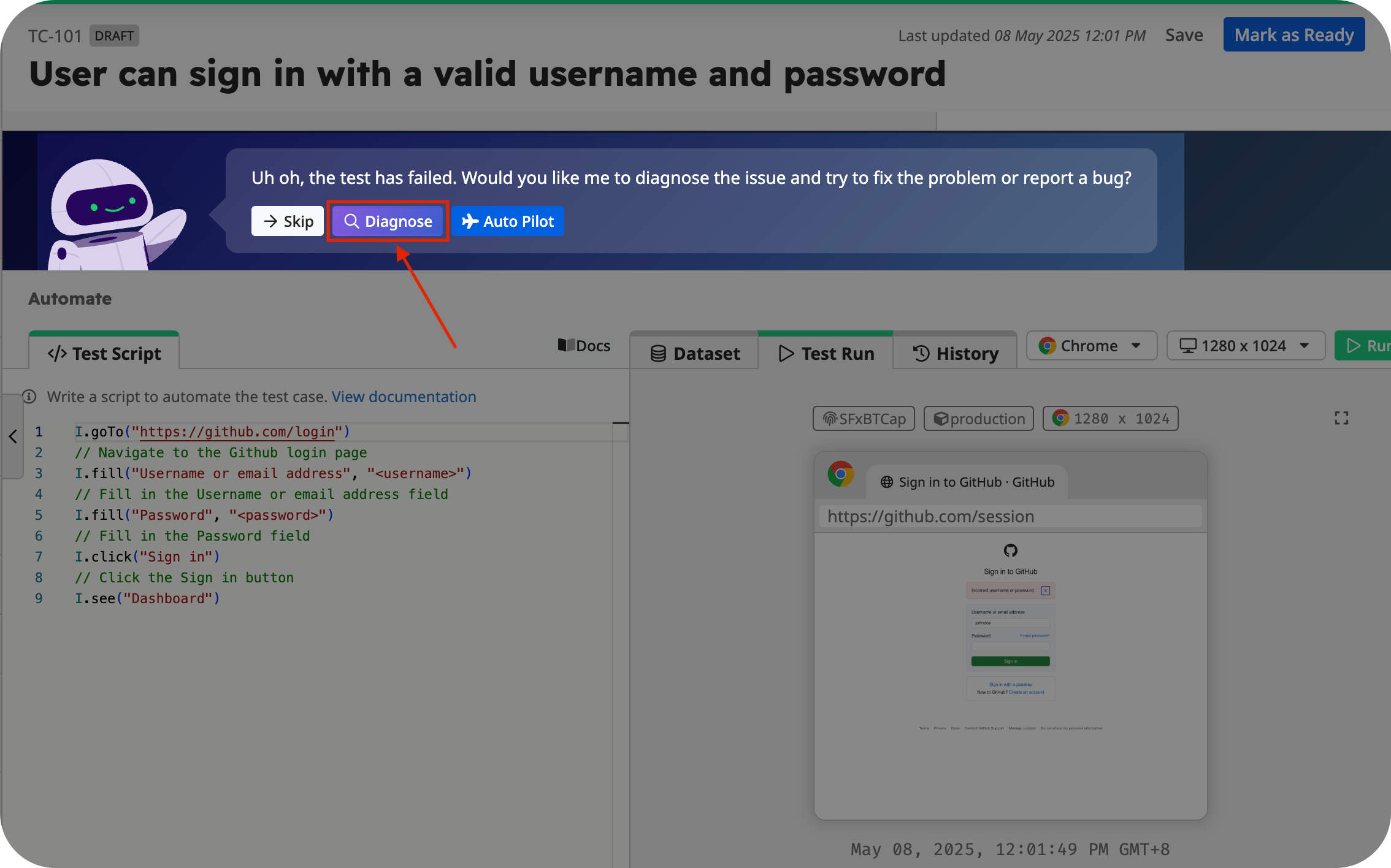
When a test step fails, you can use TAMI, your built-in AI assistant, to diagnose the issue.
TAMI will analyze your test case, script, and test report to identify the cause of the failure, and:
- 🔧 Suggest a fix for broken test logic, if applicable
- 🐞 Help you write a bug report to document the issue
This feature helps you resolve problems faster and with more confidence.